

Table of Contents
- Quick Start: How to Pause a Coffee Subscription Anytime
- Step-by-Step: Pausing Through Your Subscription Dashboard
- Coffee Subscription Pause vs Cancel: Which One Fits Your Situation
- How to Skip a Coffee Delivery Without Pausing Your Plan
- What Happens to Billing, Notifications, and Loyalty Points When You Pause
- Coffee Subscription Cancellation Policy: Fees, Refunds, and Pro-Rated Billing
- Resuming Your Subscription and Managing Future Deliveries
- Frequently Asked Questions
Last Updated: September 13, 2026
Quick Start: How to Pause a Coffee Subscription Anytime
You can pause coffee subscription plans anytime by logging into your account dashboard, opening subscription settings, and selecting the pause option for your active plan. Most roasters let you pause with a few clicks, and the change takes effect before your next charge date. This guide from Iron Rooster Coffee Co. walks through the exact steps, plus what happens to billing, notifications, and loyalty perks while you're away.
The reason this matters: a recurring order is only convenient if it bends to your schedule. Travel, a stocked pantry, or a tighter month shouldn't force you to cancel outright. Pausing keeps your account status, order history, and delivery address intact so resuming takes seconds.
Below, we'll show you how to pause coffee subscription plans on both mobile and browser, how skipping differs from pausing, and how billing actually behaves when you step away.
Step-by-Step: Pausing Through Your Subscription Dashboard
Pausing through your subscription dashboard is a four-step process that takes under two minutes. The steps below apply to most coffee subscription platforms.
- Log in to your account with your email and password.
- Open Account Settings, then select Subscriptions or Manage Plan.
- Find your active subscription and click Pause.
- Choose a resume date or leave it open-ended, then confirm.
Expected result: Your account status shows "Paused," and your next charge date is cleared until you resume.
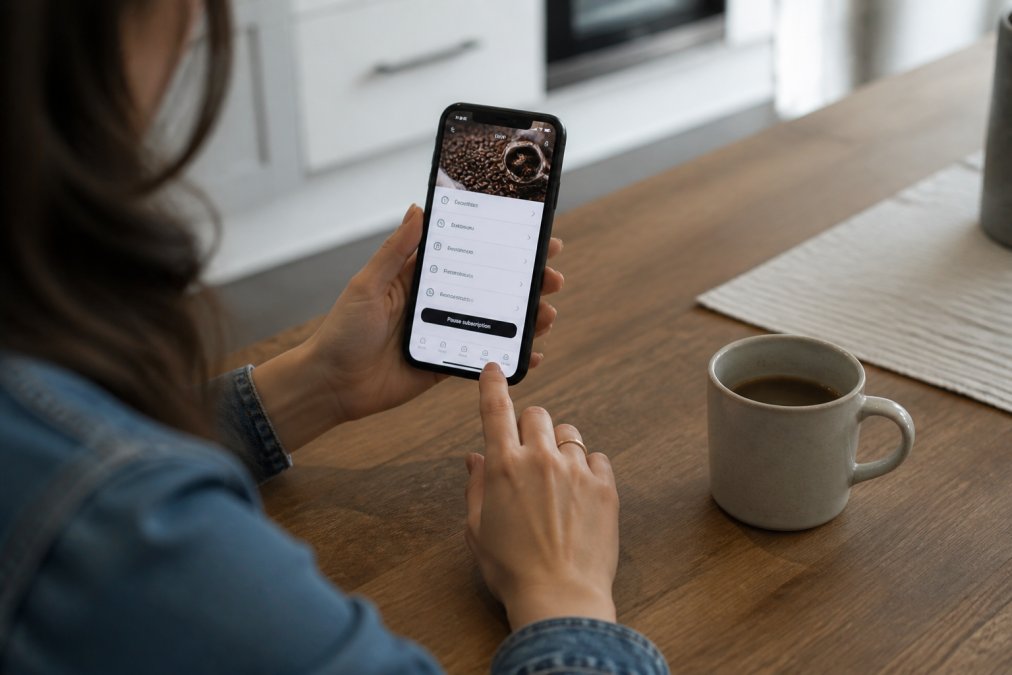
Finding Your Account Settings and Login Credentials
Your account settings live behind the login credentials you created at checkout. If you can't remember them, use the "Forgot password" link on the login page. The reset email usually arrives within a few minutes; check spam if it doesn't.
A common mistake is creating a second account with a different email instead of recovering the first. That splits your order history and can leave an old subscription running. Always try email verification and password recovery before starting fresh.
Mobile App vs. Browser: What Changes
The mobile app and the browser version of your customer portal do the same job, but the layout differs. In the app, pause controls usually sit under a "Subscription" tab on the home screen. In a browser, you'll typically find them under Account Settings.
What most guides miss: the app sometimes hides the pause option behind an "Edit" or three-dot menu, while the browser shows it as a direct button. If you can't find the control on one, try the other before contacting support.
Coffee Subscription Pause vs Cancel: Which One Fits Your Situation
The coffee subscription pause vs cancel decision comes down to intent. Pause if you plan to come back; cancel if you're done for good. Pausing preserves your account status, order history, and any locked-in pricing. Canceling closes the recurring order entirely.
Here's how the two compare:
| Action | Best For | Account Status | Recurring Order |
|---|---|---|---|
| Pause | Travel, budget breaks, full pantry | Stays active | Suspended temporarily |
| Skip | One busy week or a late shipment | Stays active | Continues next cycle |
| Cancel | Done with the service | Closed | Ended permanently |
If you're unsure, pause first. It's reversible, and you can always cancel later from the same dashboard.
How to Skip a Coffee Delivery Without Pausing Your Plan
To skip a coffee delivery, open your subscription dashboard and select Skip for the upcoming shipment rather than pausing the whole plan. A skip pushes back one delivery; a pause stops every delivery until you resume.
Skips work well when you're traveling for a week or still working through the last bag. The automated fulfillment system simply routes your next shipment to the following billing cycle. Your shipment frequency and delivery schedule stay untouched.
Pause vs. Skip vs. Cancel: A Decision Matrix
Most guides treat pause and skip as interchangeable. They aren't, and picking the wrong one is the most common reason people end up with a surprise charge or a cancelled account they meant to keep.
| Your situation | Best action | What happens to billing | What happens to your plan |
|---|---|---|---|
| Traveling for 2-6 weeks | Pause | No charges until you resume | Plan, pricing, and history stay intact |
| One busy week, or you still have beans | Skip | Next charge moves one cycle | Frequency and schedule unchanged |
| Pantry is full for an unknown stretch | Pause (open-ended) | No charges until you resume | Plan stays active indefinitely |
| Switching roasters or done for good | Cancel | No further charges | Plan closes; locked-in pricing may be lost |
| You want to change roast or bag size | Neither, edit the plan | Charge date unchanged | Product swaps on the next shipment |
A simple rule: skip is a one-cycle delay, pause is a state change. If you'd be annoyed to receive a box next month, pause. If you'd be fine receiving it a month later, skip.
The Cutoff Window Nobody Warns You About
Both skip and pause changes are gated by a fulfillment cutoff. Once an order enters processing, typically 24 to 72 hours before the charge date, depending on the roaster, the dashboard will either gray out the skip button or accept the change and apply it to the following cycle instead (the FTC). That second behavior is the trap: the button works, the confirmation email arrives, and a box still ships.
Two habits prevent this:
- Check your next charge date in the dashboard before you travel, not the day before.
- If the cutoff has already passed, contact support immediately. Many roasters can intercept an order that hasn't physically shipped, but not one that has a tracking number.
What a Skip Does to Your Loyalty and Referral Perks
Skipping is the least disruptive action you can take. Because the plan stays in an active billing state, subscription-tier perks, free shipping thresholds, member pricing, referral credits, usually continue uninterrupted. Pausing can behave differently: some programs freeze perk accrual while paused, others don't. If a perk is the reason you subscribed, check the program terms before pausing rather than skipping.
What Happens to Billing, Notifications, and Loyalty Points When You Pause
Billing stops while your subscription is paused. No new charges hit your payment method, and your billing cycle restarts when you resume. Your account status stays active, so loyalty points and order history remain intact.
That's the simple version. The details are where people get surprised.
Pro-Rated Billing: What Happens to Money Already Paid
If you pause before your next charge date, nothing is owed and nothing is refunded, the charge simply never happens (consumerfinance.gov). The complication is pausing mid-cycle, after a shipment has already been billed and shipped.
Three scenarios cover almost every case:
- Shipment already delivered. You keep it, you were charged for it, and no refund is issued. Pausing only stops future charges. This is the most common outcome and the one most people misunderstand.
- Shipment billed but not yet shipped. Some roasters will cancel the order and refund the charge; others will let it ship and apply the pause to the following cycle. This is the only scenario where a refund is realistic, and it usually requires contacting support rather than using the dashboard.
- Partial-cycle pause. A few platforms pro-rate by converting your remaining prepaid balance into account credit rather than refunding cash. Credit is not the same as a refund, it typically can't be withdrawn and may expire.
A practical rule: pausing is a forward-looking action. It stops the next charge. It rarely unwinds a charge that already happened. If you're within a few days of your charge date, assume the current shipment is going out and plan your pause around the one after it.
Stopping Marketing Emails and Texts While You're Paused
This is the step almost every guide skips, and it's the one that determines whether your pause actually feels like a break. Pausing your subscription and unsubscribing from marketing are two separate settings on most platforms. Pause the plan and you may still receive promotional emails, restock reminders, and SMS offers, sometimes more of them, because the system is trying to win you back.
Here's how to handle it:
- In the dashboard, open Account Settings → Notifications (or Communication Preferences). Toggle off promotional email and SMS independently, they're usually separate switches.
- Transactional messages stay on. Order confirmations, shipping notices, and billing receipts are typically not optional, and you don't want to disable them if a shipment is still in transit.
- Use the unsubscribe link at the bottom of any marketing email as a backup. Under U.S. law, commercial email must include a working opt-out, and requests are generally honored within 10 business days (the FTC).
- For SMS, reply STOP to the shortcode. That opt-out is separate from email and from your account settings.
If messages continue after you've opted out, that's a compliance issue, not a preference issue, contact support and reference your opt-out date.
Loyalty Points, Perks, and Account Status
Your account stays open while paused, which is the main reason to pause instead of cancel. Order history, saved addresses, and payment methods remain on file. Loyalty points already earned are typically preserved.
What varies by program:
- Accrual. Some programs stop awarding points while paused; others continue on a reduced basis. Check the terms if you're close to a reward tier.
- Expiration. Points with an expiry clock may keep ticking during a pause. If you're sitting on a balance, redeem before you pause rather than after.
- Locked-in pricing. Promotional or grandfathered rates are usually tied to an active subscription. Pausing generally preserves them; cancelling generally does not.
Pausing stops future charges but does not refund a shipment that has already been billed and shipped. If you're within the fulfillment cutoff, expect the current order to arrive and plan your pause around the next one.
Coffee Subscription Cancellation Policy: Fees, Refunds, and Pro-Rated Billing
Most coffee subscription cancellation policies don't charge a fee to pause or cancel. What they do enforce is timing: changes made after an order enters fulfillment usually apply to the following cycle, not the current one.
Before you cancel, check three things:
- Whether a shipment is already in transit
- Whether your plan has a minimum commitment period
- Whether unused shipments qualify for a refund or credit
If a delivery is already on its way, you'll typically receive it and then see no further charges. Pro-rated refunds are uncommon; most roasters handle mid-cycle changes by adjusting your next charge date instead.
Canceling instead of pausing can wipe locked-in pricing or loyalty perks tied to your account. If you might return, pause first and cancel only when you're certain.
Resuming Your Subscription and Managing Future Deliveries
Resuming a paused subscription takes one click in most dashboards. Open your subscription settings, select Resume, and confirm your delivery address and payment method. Your next charge date is set automatically based on your shipment frequency.
You can also adjust the details while you're there:
- Change your charge date to match your pay cycle
- Swap a product or try a different roast
- Update your delivery address
- Modify shipment frequency
If you're coming back after a long pause, this is a good moment to try something new. The 12 Pack Single Serve Coffee Capsules are a low-commitment way to restock, and the 60 Pack Single Serve Coffee Capsules suit households that go through a cup or two every morning.


Frequently Asked Questions
Is it better to pause or cancel a subscription?
Pausing keeps your account, order history, and loyalty points intact while stopping deliveries temporarily. Canceling ends the subscription entirely, so you lose those benefits. If you plan to return within a few months, pausing is usually the better choice. Cancel only if you no longer want the service.
How far in advance do I need to pause my coffee delivery?
Most coffee subscriptions require at least 48 to 72 hours before your next charge date to pause successfully. Check your account's specific cutoff in the subscription dashboard. If you miss the window, you can often skip the following shipment instead. Setting a reminder a week before your charge date helps avoid unwanted deliveries.
Does pausing a subscription stop future billing cycles?
Yes, pausing stops future billing cycles until you resume. Your payment method will not be charged during the pause period. However, any pending charges already processed before the pause will still go through. Always confirm the pause status in your account to ensure no upcoming charges are scheduled.
Can I resume my coffee subscription at any time?
Yes, you can resume whenever you like. Log into your customer portal, go to account settings, and select resume delivery. Your next shipment will follow the original delivery schedule unless you adjust the charge date. Some services let you pick a new start date during the resume process.
Managing a subscription shouldn't feel like a commitment you can't undo. Iron Rooster Coffee Co. builds flexibility into every plan, with freshly roasted blends, carefully selected beans, and fast automated fulfillment that pauses when you do. Resume anytime from your customer portal and get smooth, flavorful coffee delivered straight to your door. Get started with Iron Rooster Coffee Co. and keep your mornings on your terms.